Two synchronized timers
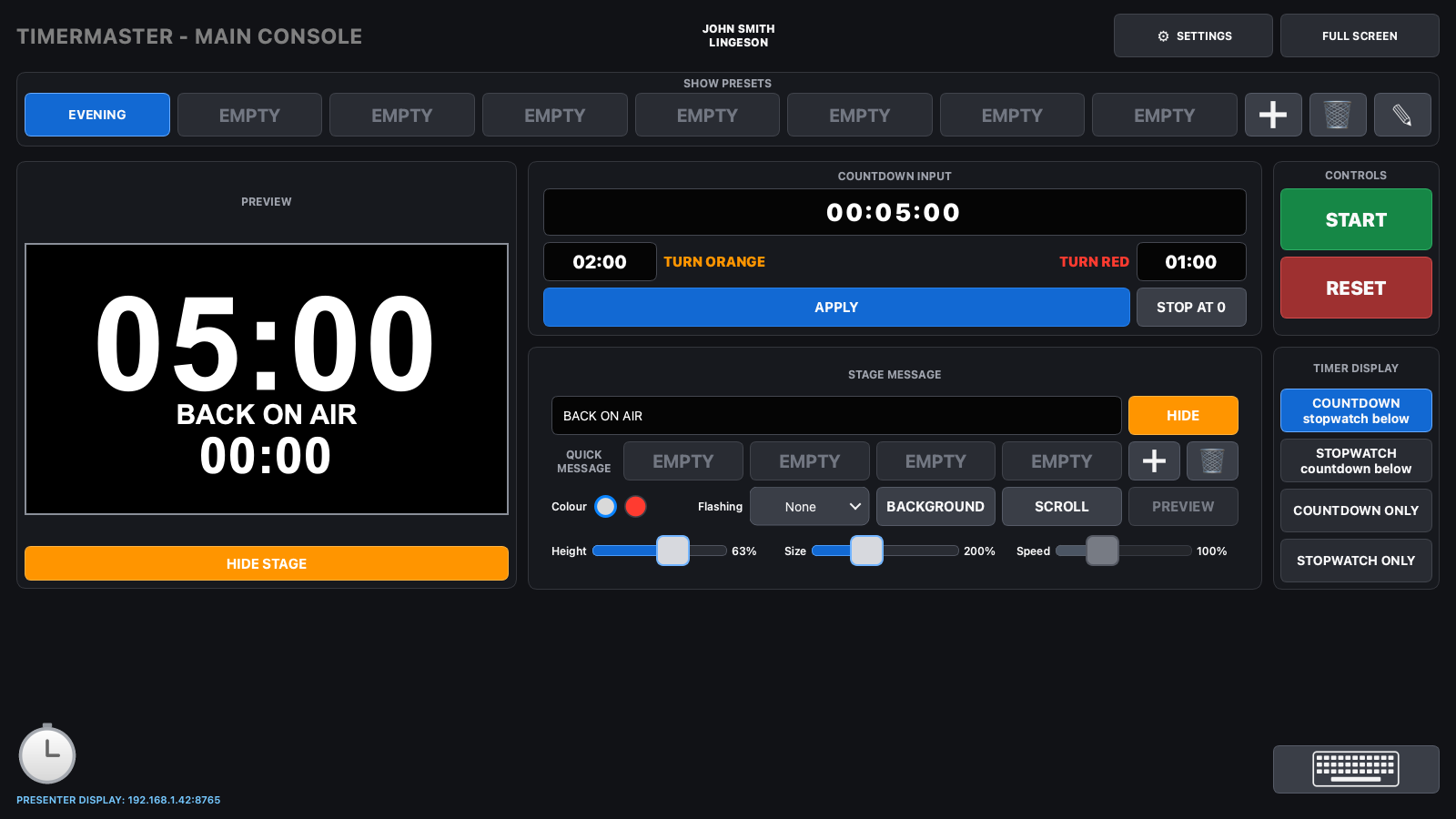
The countdown and stopwatch run together, with adjustable orange and red thresholds and an optional stop at zero.
 TIMERMASTERBY LINGESON
Buy - €150
TIMERMASTERBY LINGESON
Buy - €150
PRODUCTION TIMER · MAC + PC
TimerMaster brings timers, stage messages and multiple displays together in one control interface built for live production.
BUILT FOR LIVE PRODUCTION
The countdown and stopwatch run together, with adjustable orange and red thresholds and an optional stop at zero.
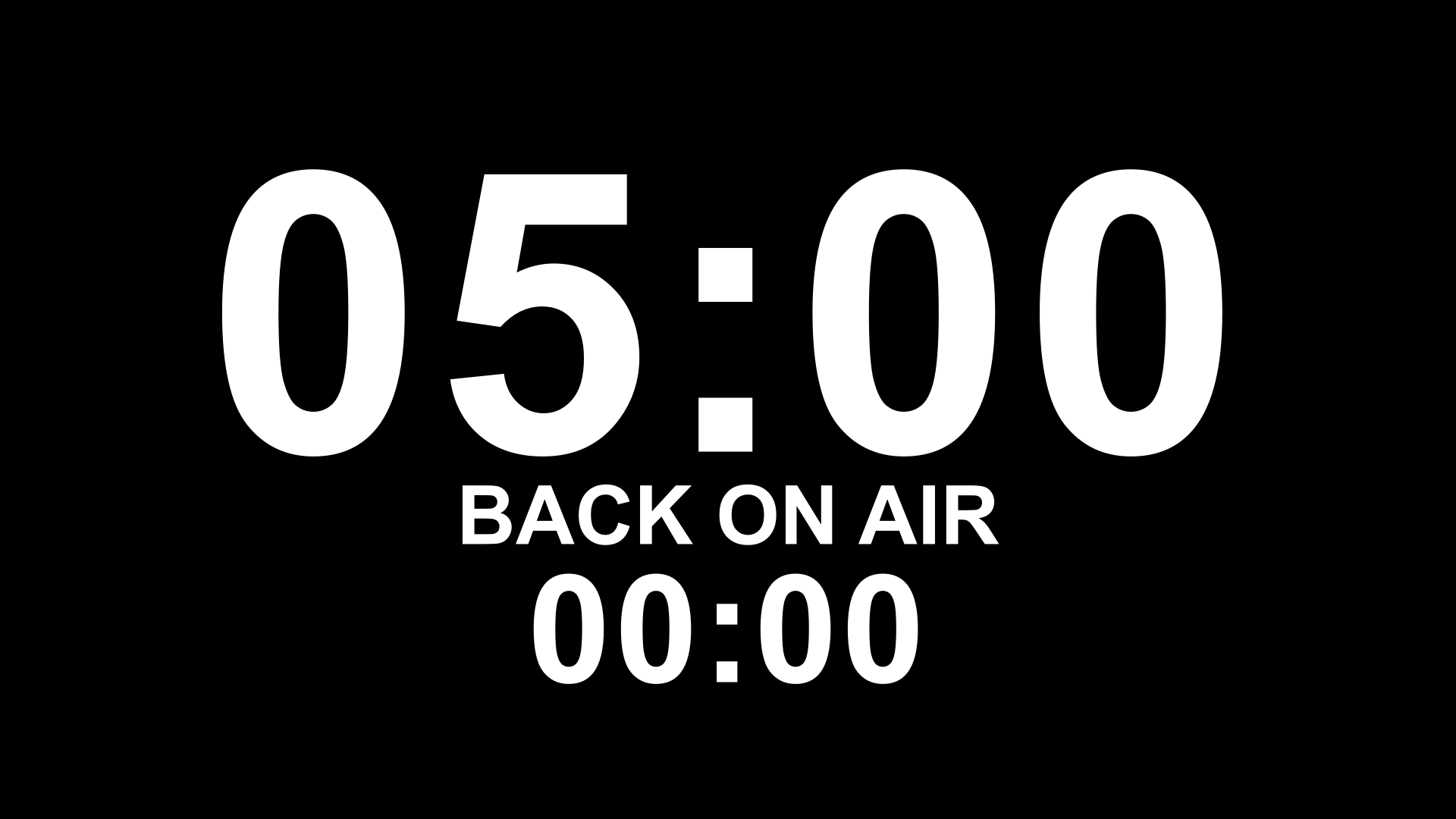
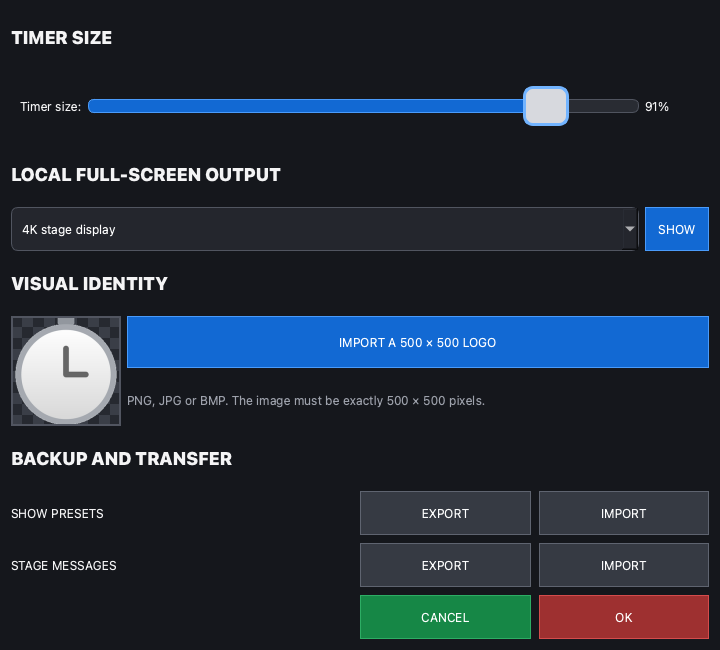
Choose the stage monitor from the console without affecting the desktop or other screens.
Control static or scrolling text, colour, flashing, height, size and background from the console.
Save durations, display modes and thresholds. Export or import eight show presets separately from stage messages.
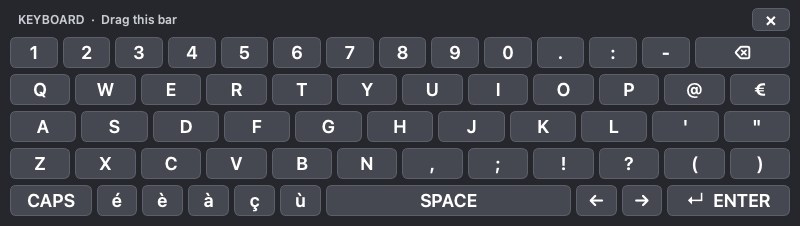
Enter messages with a movable on-screen keyboard that stays above the console.
The console preview matches the aspect ratio of the stage output, including a 4K monitor.
A browser on the same network can become a presenter monitor or stage display using the IP address shown by TimerMaster.
REMOTE DISPLAY BY IP ADDRESS
TimerMaster sends its timers and messages across your local network. A computer, tablet or phone can show the output in real time without extra software or an Internet connection.
A wired connection provides the best stability for a live show.
The browser shows the output and cannot control the console.
Several browsers can connect at the same time.
Allow TimerMaster on the private network if your firewall asks.
AUTHENTIC SCREENSHOTS
These screenshots come directly from TimerMaster. The main console remains accessible while output fills only the selected monitor.
ENGLISH DOCUMENTATION
Installation, licence activation and deactivation, screens, timers, stage messages, presets, file transfers, on-screen keyboard, remote IP display and hardware recommendations: every feature is explained in detail.
Download the PDF guide ↓TimerMaster v3.1 user guide · detailed English editionFREE TRIAL
The trial downloads are the complete applications. Without a licence, TimerMaster closes automatically after five minutes each time it opens. A valid key removes this limit and shows the owner’s name and company. Click that identity to open the licence window and deactivate this computer if needed.
The same licence unlocks Apple Silicon Mac, Intel Mac and Windows on all of the owner’s computers.
PERSONAL LICENCE
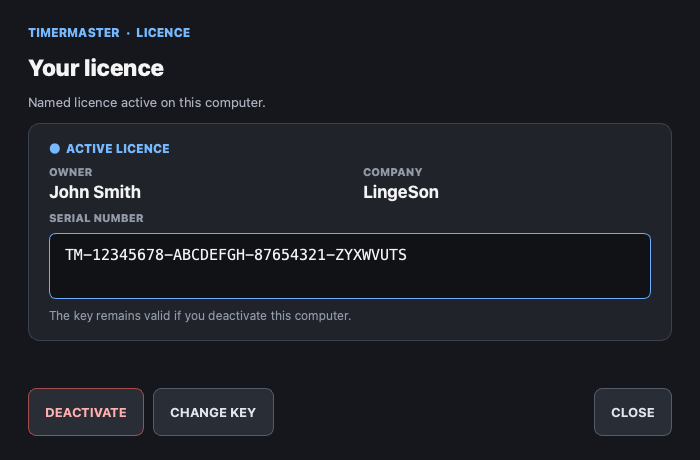
The owner’s name and company appear at the top centre of the main console. Click them to open the licence window, view the full serial number or deactivate this computer. The same key works on Mac and Windows.
SECURE PAYMENT WITH STRIPE
Enter your name and company exactly as they should appear in TimerMaster. After payment, you will receive your key, invoice and downloads for Apple Silicon Mac, Intel Mac and Windows.
FREQUENTLY ASKED QUESTIONS
No. The €150 one-time payment gives the named owner a lifetime licence.
As many as the owner needs, on Mac and Windows.
Click the owner’s name at the top of the console, then click DEACTIVATE in the licence window. That computer returns to the five-minute trial; the key remains valid.
Connect the remote device to the same network as the console, then enter the “PRESENTER DISPLAY” address shown at the bottom of TimerMaster in its browser, prefixed by http://.
No. The owner and company appear only in the main console header.
The PDF guide covers every feature. You can also use the contact page for licence questions.